VEYRA
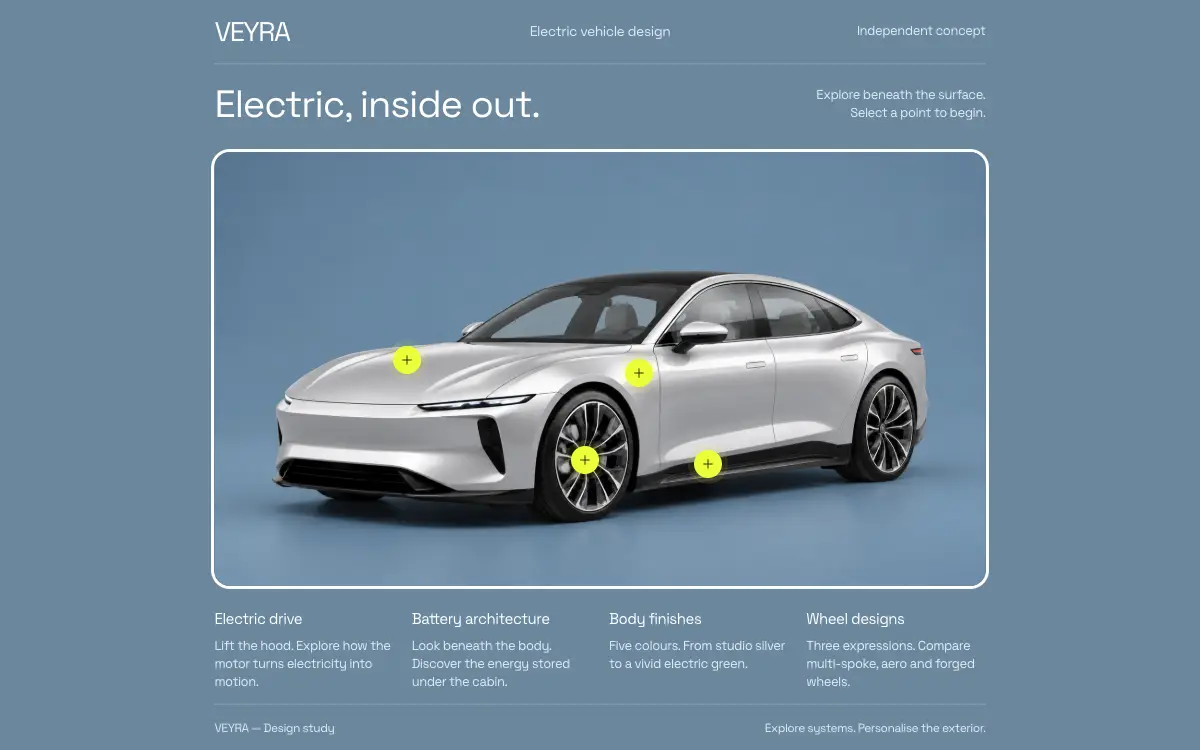
Coding-agent reproduction brief for a pinned open-source release: a single interactive electric-car design study in React and Vite, with authored forward/reverse hover films, two CSS-crossfaded technical cutaways, and paint and wheel alternatives that wait for the neutral pose.
Le prompt
# Recreate VEYRA — complete coding-agent prompt

You are an implementation agent with access to a terminal, filesystem and browser. Create and run the approved VEYRA automotive website in my local workspace. Complete the implementation and verification; do not stop at a plan.

## Objective and source of truth

Reproduce the finished interactive scene from this public release:

- Repository: https://github.com/amirmushichge/veyra-interactive-car
- Approved tag: `v1.0.0`
- Source ZIP: https://github.com/amirmushichge/veyra-interactive-car/archive/refs/tags/v1.0.0.zip
- Desktop reference: https://raw.githubusercontent.com/amirmushichge/veyra-interactive-car/v1.0.0/docs/images/desktop.png
- Phone reference: https://raw.githubusercontent.com/amirmushichge/veyra-interactive-car/v1.0.0/docs/images/mobile.png
- Asset base: https://raw.githubusercontent.com/amirmushichge/veyra-interactive-car/v1.0.0/public/media/

The reference source, media and stylesheet are authoritative. This is a faithful reproduction task. Obtain the pinned release and reuse its implementation. Do not substitute a freshly invented landing page, a different car, a simulated video, a new UI system or newly generated imagery. Do not claim that a text-only generative reconstruction is identical to the reference.

If Git/network tools are unavailable, explain the precise blocker and ask me to provide the release ZIP. Do not make a visually unrelated placeholder and call the task complete.

## Bootstrap

1. Inspect the current directory. If it already contains this project, read its instructions and check the working tree before making changes. Preserve local work. If the directory contains a different project, create a clearly named child directory; do not overwrite it or reset its Git history.
2. In a clean workspace, clone the tag:

```sh
git clone --branch v1.0.0 https://github.com/amirmushichge/veyra-interactive-car.git
cd veyra-interactive-car
git switch -c my-veyra
```

3. Read `AGENTS.md`, `README.md`, `docs/ARCHITECTURE.md`, `docs/MEDIA.md` and `docs/VERIFICATION.md`. Inspect both reference screenshots.
4. Use Node.js 22 or later and pnpm 10.15.1. Install pnpm if needed with the environment's normal package-manager mechanism. Keep the release dependency versions and lockfile. Do not introduce new application libraries.
5. Run:

```sh
pnpm install --frozen-lockfile
pnpm test
pnpm verify:reference
pnpm build
pnpm dev
```

6. Use http://127.0.0.1:5220/ as the local preview. If another process occupies it, identify the process and reuse it only if it serves this exact project. Do not kill unrelated processes. Use one deliberate alternate port only if necessary and report it clearly.

If adapting into another toolchain is explicitly required by my environment, first get the original Vite release running. Preserve the same React components, CSS, content and asset bytes; isolate framework plumbing from the reference behaviour. Report that the result is an adaptation if any reference files differ.

## Product and page

VEYRA is a fictional independent electric-vehicle design study. The page title is `VEYRA — Electric, inside out.` It is a single interactive scene with a lightweight header, title row, framed media, four hotspots, contextual menus, two technical detail views and a compact footer.

The header shows the `VEYRA` wordmark, `Electric vehicle design` on sufficiently wide screens, and `Independent concept`. The overview title is `Electric, inside out.` Supporting copy reads `Explore beneath the surface.` and `Select a point to begin.`

The footer has four aligned text groups: Electric drive, Battery architecture, Body finishes, Wheel designs. Preserve their exact text from App.tsx. A slim baseline shows `VEYRA — Design study` and the current scene's supporting sentence. Appearance menus temporarily replace the footer notes visually, leaving the car unobstructed.

Do not add buy buttons, prices, range estimates, performance specifications, brand claims, navigation sections, testimonials, cards or a contact form. Do not turn the page into a multi-screen marketing site. There is no runtime 3D model, no scroll-scrubbing timeline and no looping autoplay background.

## Visual contract

- Font: Space Grotesk, weight 400 only. Use the release font import. No synthetic bold.
- Primary colours: studio `#6b879d`, sky `#708fa2`, white `#ffffff`, muted text `#e1eaf0`, panel `#35586e`, electric green `#edff39`, dark accent text `#10190c`, thin white-alpha lines.
- The wordmark has restrained kerning. The title hierarchy comes from size and spacing, not heavier font weights.
- One shared image plane holds media and hotspots at a nominal 1672:941 ratio. Preserve the existing measurement formula and CSS variables.
- One white 3px outer frame encloses all media states; radius 16px on larger screens and 12px on phones. It must not alter media coordinates. No feather masks, background recolouring or duplicated blurred car silhouettes.
- Preserve the full visible car, both wheels, open hood and ground shadow.
- Hotspots are 48px interaction targets with compact electric-green discs, dark thin plus icons and restrained hover labels. Keep keyboard focus visible.
- Appearance panels use a consistent blue surface, 12px radius, thin border and readable labels. The panel stays outside the vehicle image, below the frame.
- Desktop header/title/media/footer align to the same measured width. At widths at most 900px, use the release stacked layout, 20px side margins and a two-column text footer.
- At desktop heights at most 780px, technical descriptions flow below the media. Do not shrink or move the image during entry/return to accommodate them.

Reuse `src/index.css` in full. These notes explain its intent; they do not replace the precise reference rules.

## Asset contract

Use the release's `public/media` directory with unchanged bytes. All assets are supplied. Keep filenames and nested paths case-exact.

Active exterior: `exterior-polished.png`.

Hover pairs:

- Drive: `hood-hover-forward.mp4`, `hood-hover-reverse.mp4`.
- Battery: `battery-hover-forward.mp4`, `battery-hover-reverse.mp4`.

Active technical images: `drive-blue.png`, `battery-blue.png`.

Paint: original exterior for Studio Silver; `config/electric-green.png`, `config/lime-green.png`, `config/sky-blue.png`, `config/graphite.png` for the remaining four choices.

Wheels: original exterior for Multi-spoke; `config/wheels-aero.png` for Aero Disc; `config/wheels-forged.png` for Sport Forged.

Keep earlier/dormant stills in the release too. `optics` and disabled detail-flight clip metadata in `content.ts` are not active features. Do not enable them or fabricate their missing videos.

Do not resize, recompress, retime, recolour or regenerate approved media. Do not send assets to an external generation provider during reproduction. Prefer local files served by Vite; do not leave playback dependent on temporary provider URLs.

## Interaction contract

There are exactly four overview points:

- Drive at x=25%, y=48%: hover/focus opens the hood; click enters the drive detail.
- Battery at x=64%, y=72%: hover/focus reveals the battery; click enters its detail.
- Paint at x=55%, y=51%: opens body-colour selection.
- Wheels at x=48%, y=71%: opens wheel selection.

Coordinates are image-relative. Do not position them against the whole screen.

### Hover playback

Retain `HoverVideo.tsx` exactly. It uses four off-DOM video elements and one canvas. Show frames only after decoding. Hold the last displayed frame at every handoff. Distinguish the currently settled pose from the latest desired hotspot.

Finish the active short forward clip before reversing. Finish its reverse before starting another system. Do not seek in the middle of independently retimed forward/reverse files to guess a matching pose. Rapid pointer changes update the desired target rather than starting overlapping playback.

On detail entry, freeze the currently visible hover frame until the opaque cutaway covers it. Reset only after that handoff. Preserve failure handling, the watchdog, cleanup and reduced-motion behaviour. Never introduce a black clearing frame.

### Detail navigation

Keep `overview → entering → detail → returning → overview` and the release's timing and guards. Do not trigger transitions while loading, already transitioning, or configuring appearance.

Drive and Battery each show their existing title, description, three component points/list entries and driver-oriented explanation. Click a point or list row to toggle its explanation. Keep the Back control and Escape return. Keep screen-reader status, focus handling and disabled states.

Click-to-detail is the approved CSS zoom/crossfade into a still image. Do not replace it with a new generated flight.

### Appearance

Only one mode is active at a time. On opening Paint or Wheels, stop requesting a hover pose and wait for the authored return to the neutral car. Show the selected appearance only when neutral and decoded. Do not place an appearance render over an open hood or X-ray frame.

Keep original hover/focus ownership, pointer corridor, pin-on-selection behaviour, leave timer, close timing and Escape. Disable unrelated points while the panel is active/closing. On close, restore the original car and unlock the other functions. Paint and wheel choices are independent render alternatives, not a combined configuration engine.

The menu must remain reachable from its point and must not cover the body or wheels. Preserve the desktop horizontal dock and phone-sized compact dock. Do not introduce an invisible full-page click blocker to keep it open.

## Verification

Treat the release source/media hashes as the reference test. If `pnpm verify:reference` fails during exact reproduction, identify why and restore the correct files. Do not regenerate the manifest just to pass.

Run existing unit checks and the production build. Inspect the actual browser, not just the source. At minimum check 1440x900, 1280x720 and 390x844; also check 1920x1080, 768x1024 and around 360px when the environment allows.

Exercise: default scene; every paint and wheel option; close and reopen; hood opening and return; battery reveal and return; rapid travel between system points; entry/return for both detail views; annotation toggles; Tab/Enter/Escape; pointer travel from hotspot to displaced menu; reduced motion. Verify no horizontal overflow, clipped primary controls, black endpoint, lost wheel, scale jump or video playing over an appearance selection.

Compare desktop and phone screenshots against the supplied references at matching viewport sizes. Allow normal browser/font rasterisation differences; do not claim pixel identity across every OS. Note any testing limits honestly, especially physical iOS/Safari and real touch devices.

Read known limitations before reporting a newly discovered regression. The reference contains an appearance-close focus race that can leave focus on the body; do not silently change behaviour in a reproduction task. Flag it and keep any future fix separately scoped.

## Optional LTX workflow

Do not use LTX to complete the reproduction. The files are already bundled. If I separately request new media, read `docs/LTX_API.md` and use https://console.ltx.io/api-keys for my own key. Never request that I paste the key into the conversation or expose it in a VITE_ variable.

Prepare a local dry run first. A paid submission needs my authorization for the specific cost and input upload. Keep outputs in `generated/`, preserve the saved job ID and resume interrupted polling instead of submitting twice. New generation cannot reproduce the approved image/video bytes deterministically.

## Finish

Return the working local preview URL, location of the project, release tag used, verification results and any real limitations. Keep the site running for review. Do not publish a website, push to my GitHub, create an account or incur generation charges unless I separately request that action. Preserve the repository license and attribution.

## Quality Bar

- **The pinned release checks pass as published.** Cloned at tag `v1.0.0` (commit `5779ec0`) on Node 22.12.0 and installed with a frozen lockfile under pnpm 10.15.1, `pnpm test` passes: the hover and appearance lifecycle tests plus 4/4 LTX mock tests. `pnpm verify:reference` reports **32 approved files match**, and `pnpm build` emits a 21.47 kB CSS bundle and a 162.54 kB JS bundle. One environment snag: the system's corepack 0.29.4 rejected pnpm's registry signing key (`Cannot find matching keyid`), so pnpm 10.15.1 was run through `npx` rather than corepack. That changes no release file.
- **The demo on this site is an adaptation, and the reference check says so.** The release assumes the site lives at the origin root, while this demo is served from a subpath. The release's own hosting notes name the fix: switch Vite's `base` and the root-absolute media literals. The build uses `--base ./` and rewrites the 21 `'/media/…'` literals to `'media/…'` in `App.tsx`, `HoverVideo.tsx`, `appearance.ts` and `content.ts`. The site's demo pages also make no external requests, so the Google Fonts `@import` in `index.css` became a self-hosted Space Grotesk 400 Latin face (13,428 B, with its OFL licence). `verify:reference` on that copy fails on exactly those five files and no others. All **18 media files are byte-identical** to the release (SHA-256 compared file by file, 23 MB). The MIT licence and the release's third-party notices ship alongside the demo. One side effect of the subpath: the wordmark's `href="/"` now leads to the host site's root rather than back to the scene.
- **Layout holds at every checked size.** Headless Chrome 153 found no horizontal overflow at 1920×1080, 1440×900, 1280×720, 768×1024, 390×844 or 360×800. Only Space Grotesk 400 loads, and there are no console errors or external requests. At 1280×720 the technical copy flows below the frame (the document grows to 976px). The image plane's rect is identical before, during and after detail entry at 1440×900, 1280×720, 390×844 and 360×800, so there is no scale jump.
- **Against the reference screenshots, desktop matches and phone differs only by width.** At 1440×900, **0.8%** of pixels differ by more than 48 levels in any channel, concentrated in the title row and footer text (font rasterisation). At 390×844 the figure is **10.5%**. The supplied phone capture's frame is about 335px wide, which is what the `width − 40` formula gives for a **375px** content area; rendered at 375px the difference drops to **1.23%**. The reference phone shot was evidently taken with a ~15px classic scrollbar taking up width.
- **Hover continuity has no black frames.** The canvas was sampled every animation frame (32×18 average luminance) through hood open and return, battery reveal and return, and a five-step rapid Drive↔Battery sweep at 150ms intervals. Luminance never dropped below **105** (a black frame would be under 25). Each sequence ended on a decoded neutral frame at opacity 1.
- **Appearance waits for the neutral car.** With the pointer moved from Drive (hood mid-opening) straight onto Paint, the caption read "Returning to exterior…" and all five options stayed disabled for 113 frames. The appearance render was never shown during that wait, and the other three points were disabled. Every paint (5) and wheel (3) choice then displayed its own image, and Close restored `exterior-polished.png` and re-enabled all points. A 12-step pointer path from the Paint point to the displaced dock kept the menu open without clicking. The dock sits outside the image: at 1440×900 the menu (560×119) starts at y=754, below the frame's bottom at 736; at 390×844 the compact dock (288px wide) starts at y=415, below the frame's 397. Paint chips are 44px and wheel tiles 78×70 on phones.
- **The detail flow keeps the release's timing and focus handling.** On clicking Drive, the phase went `entering` at 28ms and `detail` at 1278ms, with focus moving to "Back to vehicle". Returning took 1264ms and put focus back on the Drive point. All three annotations and their list rows toggle `aria-expanded` together. Battery's Back button behaves the same. With the keyboard, Tab reaches the wordmark, then Battery, then Drive, with a 2px solid focus outline. Enter opens the detail, Tab reaches the first component row, and Escape returns with focus restored to the point.
- **The documented focus race reproduces, unchanged.** Closing Paint with Escape after opening it by keyboard focus, closing Wheels with Escape, and closing Paint with the menu's × button all left `document.activeElement` on **BODY** instead of the point. That matches the known limitation listed for v1.0.0, and this build does not fix it.
- **Reduced motion follows the release.** With `prefers-reduced-motion: reduce`, clicking Battery reached `detail` within 300ms and Escape returned immediately. Hovering Drive played no film (the canvas stayed at opacity 0).
- **Nothing is interactive until three large stills have decoded.** The scene gates on `exterior-polished.png` plus both cutaways: 5,609,024 B decoded before any point appears, with "Preparing the views" shown until then. The five dormant stills (8,486,163 B, including `lenses-blue.png`, which `content.ts` still names) ship with the release but were never requested in any checked flow.
- **Testing limits.** Everything above ran in headless Chromium on macOS, using synthesised mouse and keyboard events and emulated viewports. No physical iPhone or Safari, real touch input or 200% text zoom was tested. Video smoothness was judged from sampled canvas luminance, not a frame-by-frame visual review.
Vous aimerez aussi
Vectrus Energy
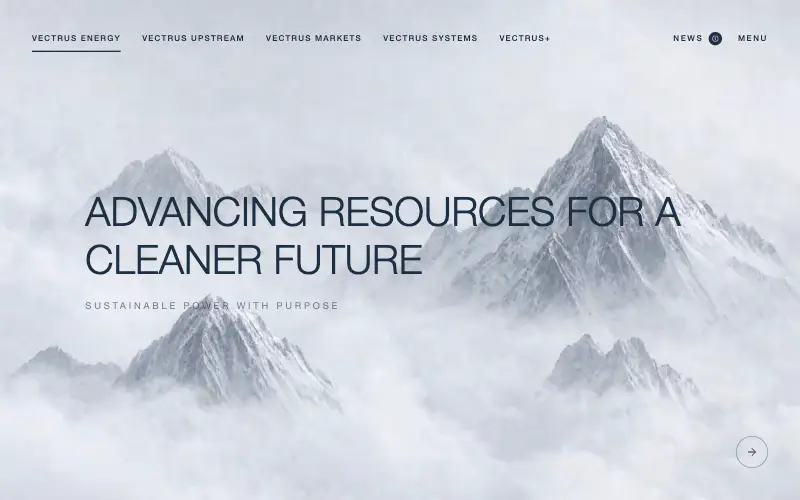
Scroll-tied cinematic section: a 500vh track scrubs an aerial clip frame by frame through a WebCodecs frame bank, with three sequential copy blocks.
Wanderful
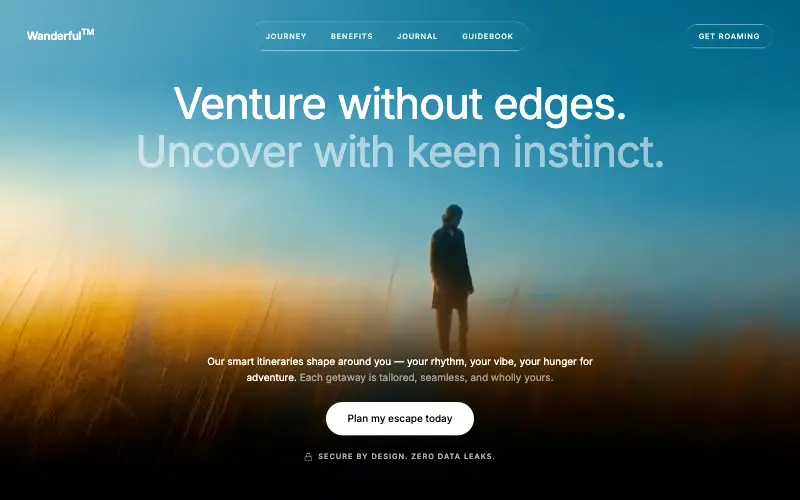
Cinematic travel hero: a full-bleed loop drifting under a GSAP mouse parallax, with a liquid-glass pill navbar and two fade-up copy blocks.
Aurora Weather Dashboard
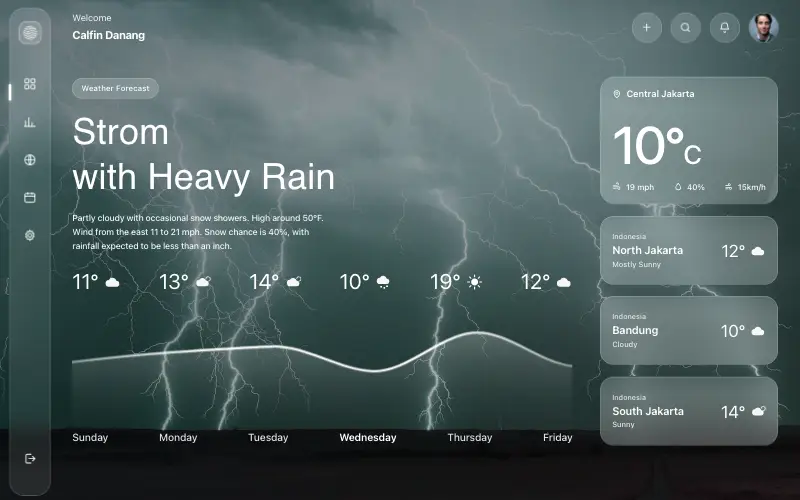
Liquid-glass weather dashboard on a 1357x871 unit grid: frosted panels over a storm photo and a chart that draws itself, then fills.
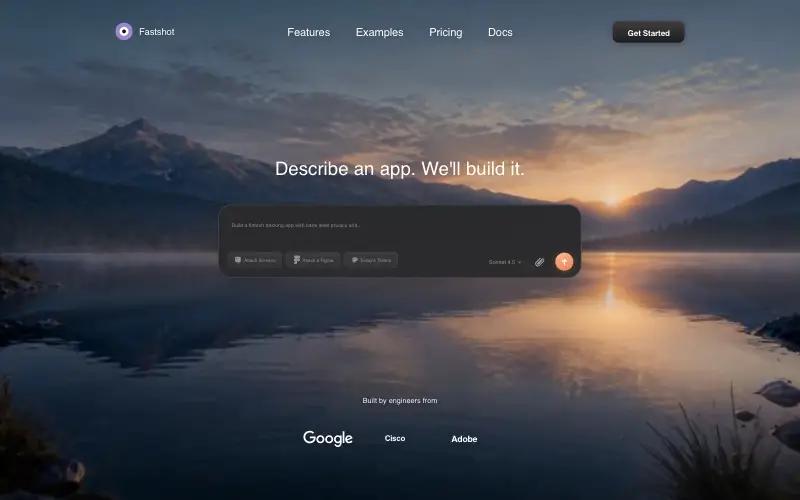
Fastshot Landing
Single-screen AI app-builder landing: full-bleed dawn video, glass composer card and a pixel-specified absolute toolbar.