Convix Software
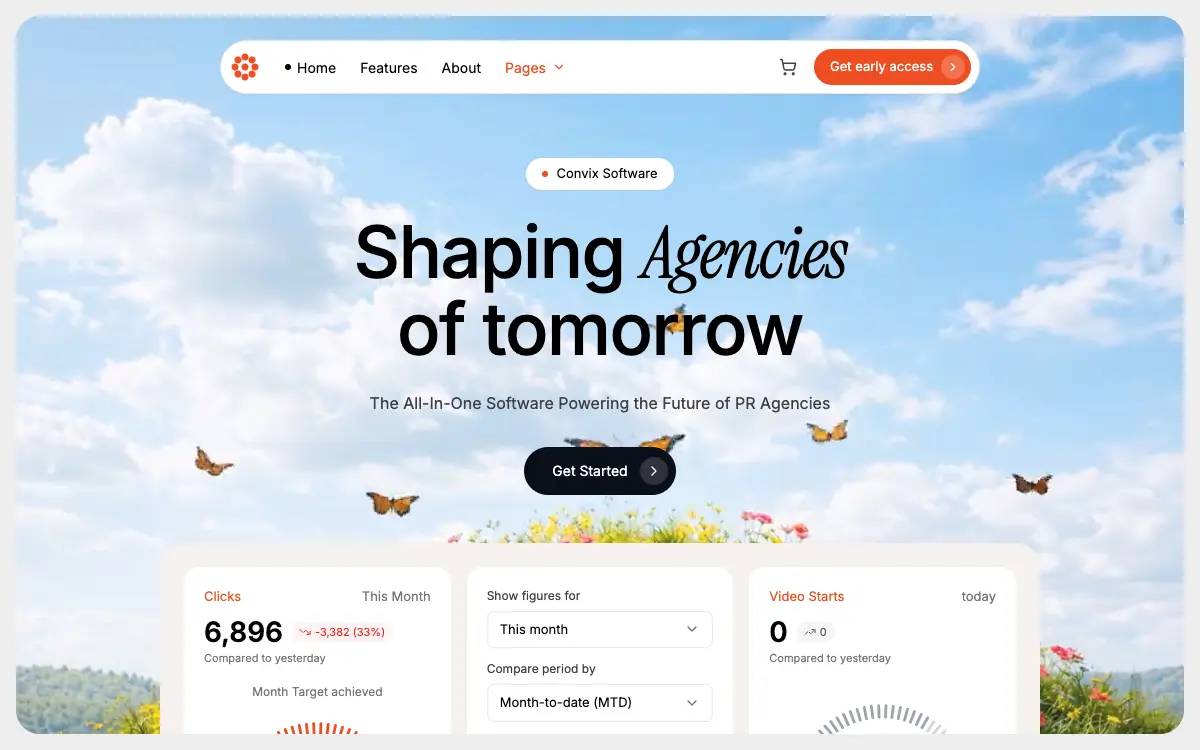
PR-agency SaaS hero inside one rounded clipping container: a floating pill navbar, a serif-italic mixed headline and a dashboard tray whose three cards bleed off the bottom edge.
Prompt-nya
# Convix Software — PR-Agency SaaS Hero

Build a fully responsive, full-viewport hero section for a PR-agency SaaS called "Convix Software" with these exact specs.

## Page Frame
- Outer wrapper: `min-h-screen w-full bg-[#ededed] p-3 sm:p-4`, font-family Inter
- Hero container (clips everything inside): `relative w-full h-[calc(100vh-24px)] sm:h-[calc(100vh-32px)] overflow-hidden bg-[#d9d9d9] rounded-2xl sm:rounded-3xl`

## Background Video
- URL: `https://d8j0ntlcm91z4.cloudfront.net/user_38xzZboKViGWJOttwIXH07lWA1P/hf_20260424_064411_9e9d7f84-9277-41f4-ab10-59172d89e6be.mp4`
- Absolutely positioned, `inset-0 w-full h-full object-cover pointer-events-none`
- Attributes: `autoPlay`, `loop`, `muted`, `playsInline`, `preload="auto"`, `disableRemotePlayback`, `webkit-playsinline="true"`, `x5-playsinline="true"`
- Poster fallback: `https://images.unsplash.com/photo-1557683316-973673baf926?w=1600&q=60`
- Above the video: `absolute inset-0 bg-white/10` overlay
- Foreground content wrapper: `relative z-10`

## Fonts (`/src/styles/fonts.css`)
Import from Google Fonts:
- Inter weights 400, 500, 600, 700
- Instrument Serif regular + italic

## Navbar (floating pill, responsive with hamburger)
- Wrapper: `flex justify-center pt-4 sm:pt-6 px-3 sm:px-4`
- Pill: `bg-white rounded-full shadow-sm border border-neutral-200 pl-2 pr-2 py-2 w-full max-w-[760px] relative`
- Logo (left, `shrink-0`): orange `#ef4d23` 8-petal flower SVG — 8 circles at radius 10 around center (16,16) plus center circle, all `r=3.5`, viewBox 32x32, rendered `w-7 h-7 sm:w-8 sm:h-8`
- Desktop links (`hidden md:flex`, `gap-6`, 14px): "Home" (with 1.5px black dot), "Features", "About", "Pages" (`#ef4d23` + ChevronDown 3.5)
- Right cluster (`ml-auto`): ShoppingCart icon (hidden on mobile), then orange `#ef4d23` `rounded-full` button "Get early access" (desktop) / "Early access" (mobile) with `white/20` inner circle holding ChevronRight
- Mobile-only Menu (lucide) hamburger button (`md:hidden`)
- When open: dropdown panel `absolute top-full left-2 right-2 mt-2 bg-white rounded-2xl shadow-lg border border-neutral-200 p-3 z-20` listing the same nav items vertically
- `useState` open toggles the menu

## Hero Content (centered)
`flex flex-col items-center px-4 pt-10 sm:pt-16 pb-8 sm:pb-12 text-center`

- Badge: `inline-flex items-center gap-2 bg-white rounded-full px-4 py-1.5 shadow-sm`, 13px — orange dot + "Convix Software"
- Headline `<h1>` with inline style `fontSize: clamp(36px, 8vw, 72px); lineHeight: 1.05; fontWeight: 500; letterSpacing: -0.02em`, `mt-5 sm:mt-6 max-w-4xl`:
  "Shaping " + `<span style={{fontFamily:"'Instrument Serif', serif", fontStyle:"italic", fontWeight:400}}>Agencies</span>` + `<br>` + "of tomorrow"
- Subtitle `<p>` `mt-4 sm:mt-6 text-neutral-700 px-2`, `fontSize: clamp(13px, 3.5vw, 16px)`: "The All-In-One Software Powering the Future of PR Agencies"
- CTA button `mt-6 sm:mt-8 inline-flex items-center gap-3 bg-[#0b0f1a] text-white rounded-full pl-6 sm:pl-7 pr-2 py-2 sm:py-2.5`, 14px: "Get Started" + `w-6 h-6 sm:w-7 sm:h-7 rounded-full bg-white/15` containing ChevronRight (4x4)

## Dashboard Preview
- Wrapper: `bg-[#f5f2ee] rounded-3xl p-4 sm:p-6 w-full max-w-[880px] mx-auto`
- Grid: `grid grid-cols-1 sm:grid-cols-2 lg:grid-cols-3 gap-3 sm:gap-4`
- Outer container around it: `px-3 sm:px-4`

**Card 1 — Clicks** (white, `rounded-2xl`, `p-5`)
- Header: orange "Clicks" + neutral "This Month" (13px)
- Big number "6,896" (28px, weight 600) + red pill `bg-red-50 text-red-600 rounded-full px-2 py-0.5` with TrendingDown icon "-3,382 (33%)" (11px)
- Small caption "Compared to yesterday"
- Centered "Month Target achieved" label
- Gauge at 92% in `#ef4d23`, with end labels "389K" / "425K"
- Toggle pill bottom: `bg-neutral-100 rounded-full p-1 flex` — "Impressions" active (white card + shadow) / "Clicks" inactive

**Card 2 — Form** (white, `rounded-2xl`, `p-5`, `flex flex-col gap-3`)
- Two label+dropdown groups (label 12px neutral-700, button bordered `rounded-lg px-3 py-2` with ChevronDown): "Show figures for" → "This month"; "Compare period by" → "Month-to-date (MTD)"
- Two label+input groups with `#` prefix: "Ste targets (This month)" → 10; "Ste targets (This year)" → 100
- Footer: orange `#ef4d23` "Save" button (`rounded-lg px-5 py-2`), underlined "Cancel", X icon pushed to right (`ml-auto`)

**Card 3 — Video Starts** (white, `rounded-2xl`, `p-5`)
- Header: orange "Video Starts" + "today"
- Big "0" + neutral pill with TrendingUp + "0"
- "Compared to yesterday"
- Gauge at 68% in `#9ca3af` (no end labels)
- Toggle pill: "Video Clicks" active / "Video Starts"

## Gauge Component (reusable)
- Props: `value`, `color="#ef4d23"`, `showLabels`, `min`, `max`
- SVG viewBox `0 0 200 120`, max-width 260px
- 40 tick marks spanning a 180° arc (start at angle π, sweep to 2π); active count = `round(value/100 * 40)`
- Each tick: `<line>` from radius `(r-10)` to `r=80` around center (100,100), `strokeWidth=2.5`, `strokeLinecap="round"`, active uses `color`, inactive `#d4d4d8`
- Center text: `<text x=100 y=105 textAnchor="middle">{value}%</text>`, fontSize 22, fontWeight 600
- If `showLabels`: small flex row below SVG, 11px neutral-500, `justify-between`, showing `min` and `max`

## Colors
- Primary orange: `#ef4d23`
- Dark CTA: `#0b0f1a`
- Page bg: `#ededed`; hero bg: `#d9d9d9`; dashboard tray: `#f5f2ee`

## Icons (lucide-react)
ChevronDown, ChevronRight, ShoppingCart, Menu, TrendingDown, TrendingUp, X

## File Structure
```
src/app/App.tsx
src/app/components/Navbar.tsx
src/app/components/DashboardPreview.tsx
src/app/components/Gauge.tsx
src/styles/fonts.css
```

## Behavior
- No custom animations; only the native looping muted background video
- Entire hero (video + content + dashboard) is clipped together by the rounded container, so the dashboard cards bleed off the bottom edge
- Fully responsive: navbar collapses to hamburger under `md`, headline/CTA scale via `clamp()`, dashboard grid steps from 1 → 2 → 3 columns

## Quality Bar
- Everything the rounded container bleeds off the bottom is a control, and nothing on this page scrolls, so those controls are unreachable. The frame is exactly `100vh` by construction (`p-3` + `h-[calc(100vh-24px)]`), so `document.scrollHeight === innerHeight` at every size. Measured: at 1512x982 nothing is hidden; at 1440x900 the "Impressions / Clicks" toggle is cut 19px and Save, Cancel and the X are gone; at 1280x800 — a stock 13" laptop — both toggle pills, the "Video Clicks / Video Starts" pill, the "Ste targets (This year)" input and the whole Save row are all fully below the edge; at 390x844 card 2 shows 20px of its 374 and card 3 shows nothing at all, 700px of tray content with no scroll position that reveals it. The bleed is a good visual device — put nothing under it that a user has to reach, or let the tray scroll.
- Those clipped controls are still in the tab order, and focusing one scrolls the `overflow-hidden` box. Measured at 1440x900: the hero's `scrollHeight` is 948 against a `clientHeight` of 868, and tabbing to Save scrolls it 80px — the navbar pill slides 56px above the top edge and the whole composition shifts, with no scrollbar and no way back except tabbing away. Either keep the hidden content out of the tab order or give the tray a real scroll container.
- The subtitle is the one line that fails on the video. Sampling the decoded frames under each block at 1440x900, with the `bg-white/10` overlay composited in: the black headline is safe — 98 pixels out of 18.1M below 4.5:1, in 28 of 288 frames, all of them a butterfly wing clipping the box corner. The `text-neutral-700` subtitle sits exactly where the flower hill and the butterflies cross the frame: 4.09% of its pixels are below 4.5:1, every one of its 275 frames contains failing pixels, and the worst reach 1.00:1. The white/10 veil is in that math and buys almost nothing — it lifts a mid-tone by 10%, not the dark greens.
- The poster is not this video. `photo-1557683316` is a dark teal-to-indigo gradient; the clip is a bright sky over a flower meadow. While the poster is what shows — first paint, autoplay refused (iOS Low Power Mode, Data Saver), a 404 on the mp4 — the dark copy sits on a dark ground: the headline runs 80.8% of its pixels below 4.5:1 (mean 4.05:1, worst 3.06:1) and the subtitle 100% below (mean 2.14:1, worst 1.73:1). A poster should be a frame of its own clip; anything else is a design that only works once the network cooperates.
- `100vh` on mobile Safari is the large viewport — the one with the toolbar retracted. `p-3` + `h-[calc(100vh-24px)]` therefore describes a frame taller than what is actually visible while the toolbar is out, and since the page cannot scroll, the bottom padding and the rounded bottom corner sit under it. `100svh` (or `100dvh`) is what this layout means.
- Four of the nine font faces the CSS asks for never paint. Inter 500 (headline) and 600 (the big numbers and the gauge label) do; Inter 700 does not, and Instrument Serif normal does not — the only element carrying that family hard-codes `fontStyle: "italic"` inline. Subset to what renders: the Inter variable face over the 56 characters on the page, axis kept at the prompt's 400–700, is 12.3KB; Instrument Serif italic for the eight letters of "Agencies" is 1.6KB. Self-host if the page must run without third-party requests — both are OFL 1.1.
- Watch the payload: the source clip is 3328x2492 / 24fps / 12s / 33MB and has no audio track to drop. Downscaled to 1280 wide at CRF 36 it is 479KB with the flower detail still holding at 2x zoom — a dense meadow costs more than flat or dark footage, so measure rather than reuse a number from another page.
- `disableRemotePlayback` is a real DOM prop only from React 19; on 18 it is dropped with an unknown-prop warning. The two hyphenated vendor attributes (`webkit-playsinline`, `x5-playsinline`) pass through unchanged because they contain a dash — write them in JSX exactly as spelled here.
- "Ste targets (This month)" and "Ste targets (This year)" read as a typo for "Set targets". Fix the copy or keep it deliberately, but do not let it arrive by accident.
- The prompt says there are no animations, but a permanently looping full-bleed video is exactly what `prefers-reduced-motion: reduce` asks you to stop. Pause it and hold a frame — this clip's still frame is a complete picture. Read the query inside an effect and re-read it on `change`, not in a `useState` initialiser, which is client-only and would disagree with hydration in Next.js.
- Both toggle pills and both dropdowns are plain `<button>`s with no state: a keyboard user tabs into four controls that do nothing. If they are decoration, say so in markup; if they are the product, wire them.
Kamu mungkin juga suka
Kresna Footer
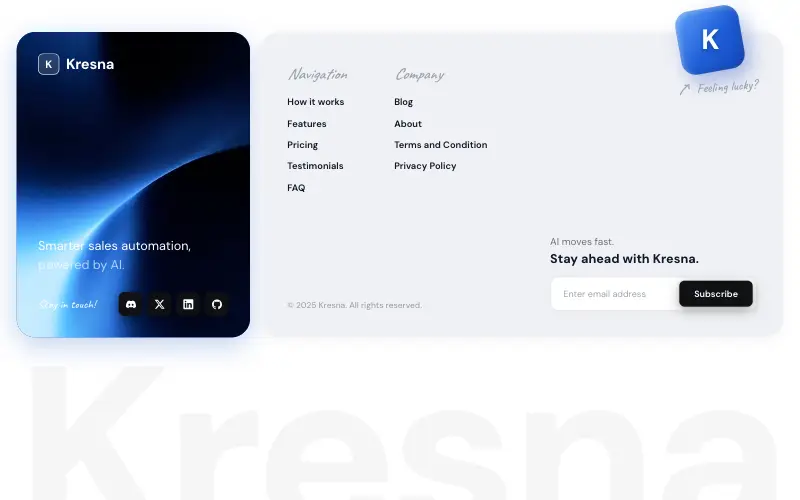
Two-card SaaS footer: a looping blue video card with logo, tagline and dark social tiles, a light link card with a tilted 'Feeling lucky?' cube breaking its top edge, and a faded wordmark fitted edge to edge.

Vectrus Energy
Scroll-tied cinematic section: a 500vh track scrubs an aerial clip frame by frame through a WebCodecs frame bank, with three sequential copy blocks.
Wanderful
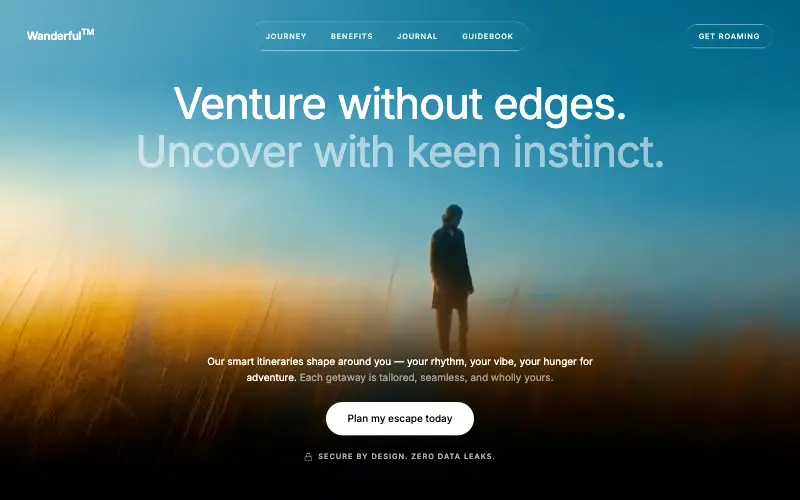
Cinematic travel hero: a full-bleed loop drifting under a GSAP mouse parallax, with a liquid-glass pill navbar and two fade-up copy blocks.
Aurora Weather Dashboard
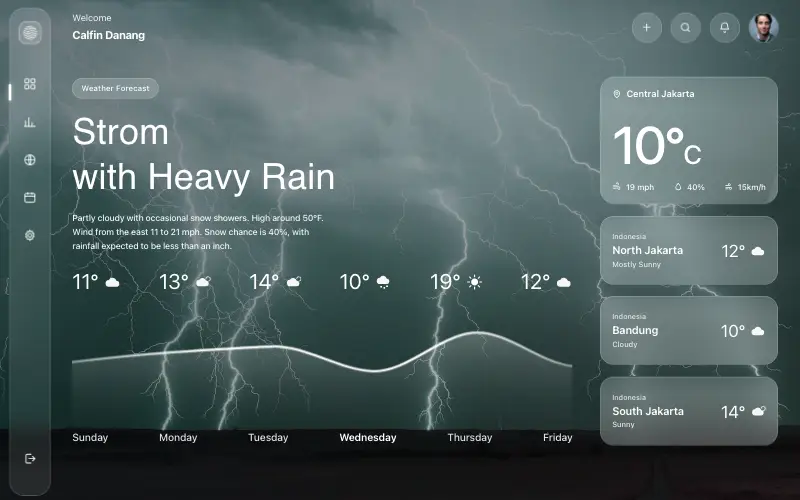
Liquid-glass weather dashboard on a 1357x871 unit grid: frosted panels over a storm photo and a chart that draws itself, then fills.