Free
🚀 Startup
Forge DevTools
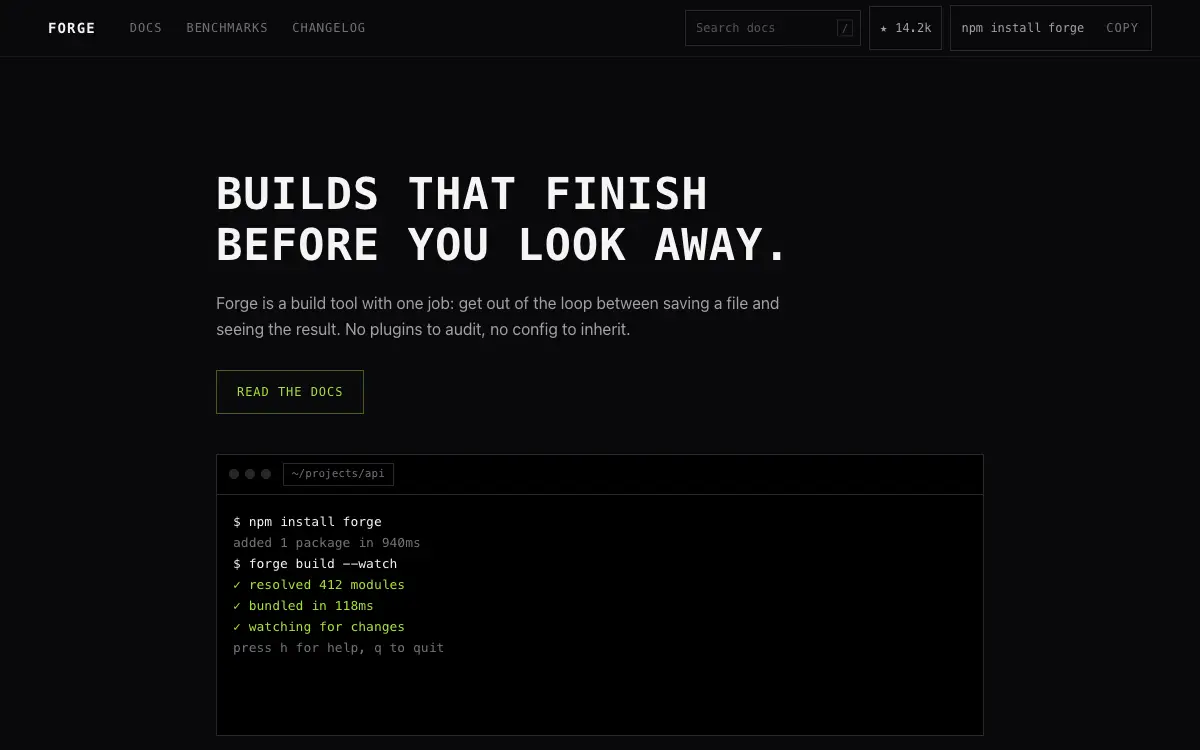
Developer-tool startup site with terminal-style hero, code snippet tabs and GitHub-first social proof.
333 views 57 copies 434 words
The Prompt
# Forge — Developer Tool Startup Site

## Goal
Build a production-ready developer tool startup site called "Forge". Overall vibe: terminal-native, no-nonsense, built by engineers for engineers. It should look hand-crafted by a senior product designer — not like a generic template.

## Design System
- **Palette**: pure #09090B base, zinc-300 text, single lime #A3E635 accent used like a cursor highlight; no gradients anywhere
- **Typography**: mono-first: Geist Mono for headings AND code, Inter for body; headings uppercase with 0.08em tracking at small sizes
- **Grid & spacing**: 12-col grid, 8px base unit. Desktop sections 112-128px vertical padding, mobile 56-64px.
- **Corners & borders**: cards 16px radius, buttons 10px, inputs 10px. 1px borders at 8-12% white (dark) or 8% black (light).
- **Shadows**: layered, soft (0 1px 2px + 0 8px 24px), never harsh.

## Page Structure
1. **Navbar** — text-only links, GitHub star count badge fetched at build time, 'npm install forge' copy-button right.
2. **Hero** — fake terminal window (traffic-light dots, tab bar) that types out an install + run sequence with realistic output lines, caret blinking; headline above it, one CTA: 'Read the docs'.
3. **Code tabs** — tabbed snippet block (CLI / Config / CI) with syntax highlighting and a copy button per tab.
4. **Feature list** — 6 terse rows, each: lime `>` marker, bold feature name, one-line explanation. No icons, no cards.
5. **Benchmark table** — comparison vs two generic alternatives: rows are metrics, Forge column highlighted with lime left border.
6. **Quote strip** — 3 short developer quotes with GitHub avatars and handles.
7. **Footer** — minimal: docs / changelog / GitHub / X, version number right-aligned.

## Motion
- Terminal typing at 24 chars/sec with occasional 120ms pauses; output lines appear in batches.
- Section reveals are opacity-only (no translate) — keeps the engineering-tool sobriety.
- Copy buttons flash 'copied' inline for 1.2s, no toast.
- All entrances use IntersectionObserver-triggered reveals; never animate on every scroll tick.
- Respect `prefers-reduced-motion`: disable transforms, keep opacity fades under 150ms.

## Details That Matter
- Everything keyboard-navigable; add a '/' shortcut hint in navbar that focuses a docs-search stub.
- 404 page is a terminal error message with a `cd /home` link.

## Tech & Quality Bar
- Next.js App Router + TypeScript + Tailwind CSS. No UI kit — style from scratch.
- Fully responsive at 375 / 768 / 1024 / 1440px. Mobile nav becomes a full-screen overlay with staggered link reveal.
- Semantic landmarks (header/main/section/footer), WCAG AA contrast, focus-visible rings on all interactive elements.
- Optimize LCP: hero media preloaded, fonts `display: swap`, zero layout shift.
You may also like
Free
Featured
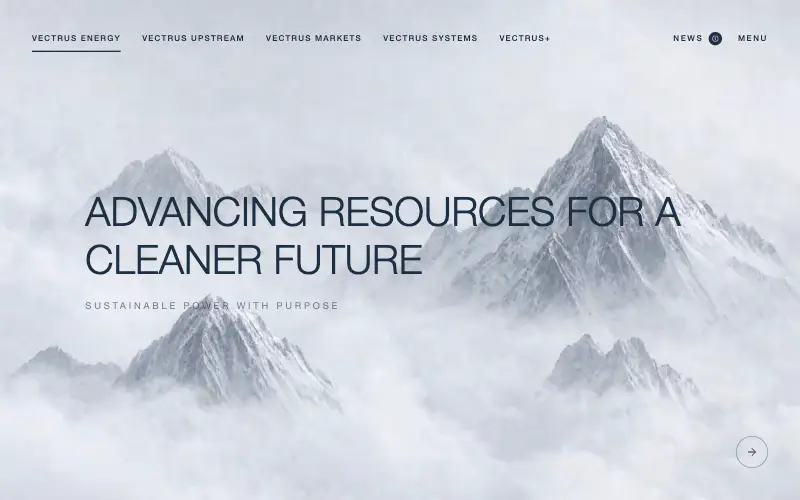
Vectrus Energy
🛬 Landing Page
Scroll-tied cinematic section: a 500vh track scrubs an aerial clip frame by frame through a WebCodecs frame bank, with three sequential copy blocks.
5.0k 538CursorClaude CodeLovable
Free
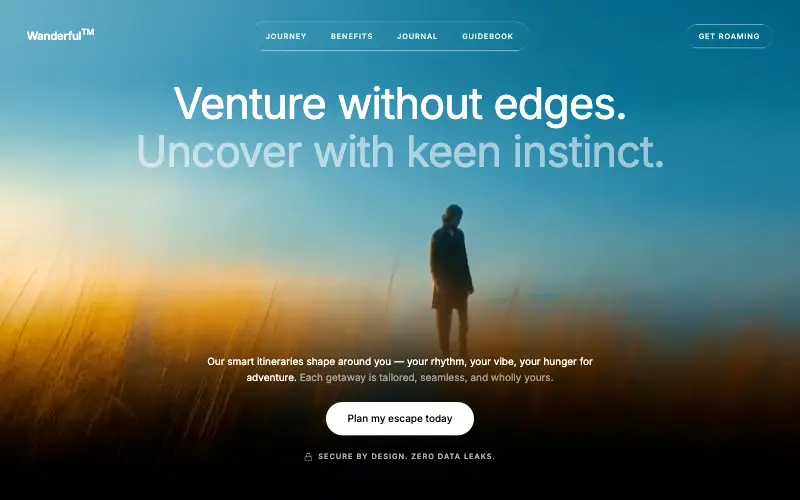
Wanderful
✈️ Travel
Cinematic travel hero: a full-bleed loop drifting under a GSAP mouse parallax, with a liquid-glass pill navbar and two fade-up copy blocks.
4.9k 447CursorClaude CodeLovable
Free
Featured
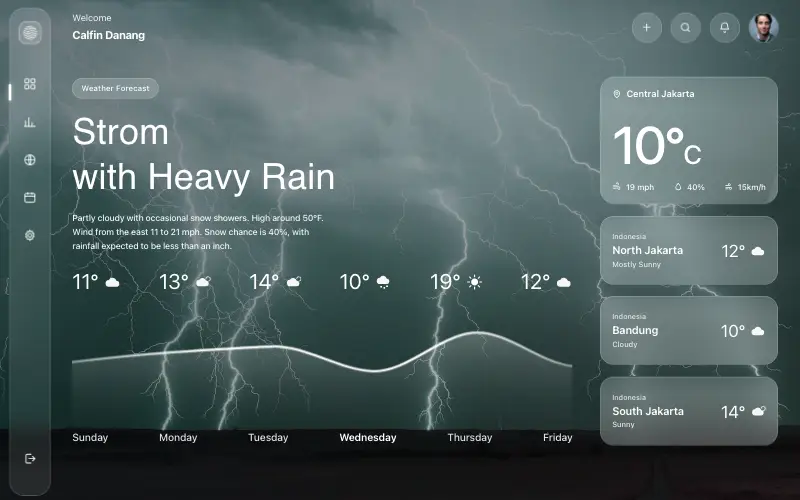
Aurora Weather Dashboard
📊 Dashboard
Liquid-glass weather dashboard on a 1357x871 unit grid: frosted panels over a storm photo and a chart that draws itself, then fills.
4.6k 529CursorClaude CodeLovable
Free
Featured
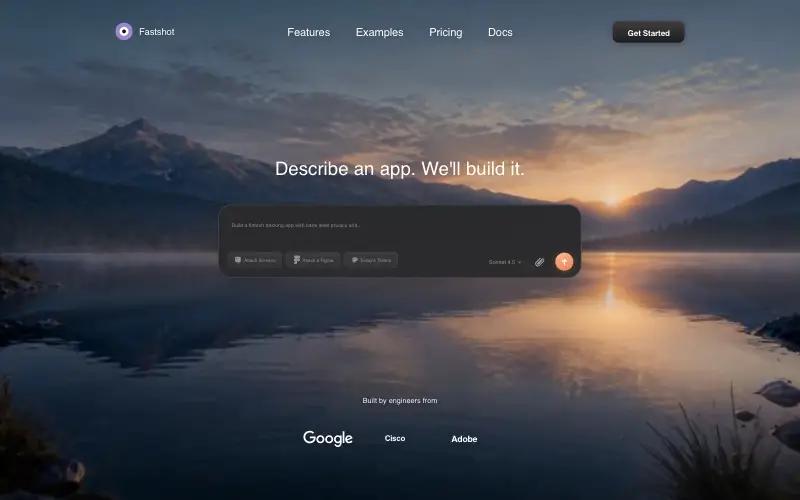
Fastshot Landing
🤖 AI
Single-screen AI app-builder landing: full-bleed dawn video, glass composer card and a pixel-specified absolute toolbar.
4.0k 644CursorClaude CodeLovable